Make use of your phone
Add photos to a journal or audio to a practice log. Camera, microphone, and supported Bluetooth features can become part of your creation.
Describe what you have in mind. Create your own apps, games, and widgets with AI. Make them part of your day, or share them with friends.
Available on the App Store
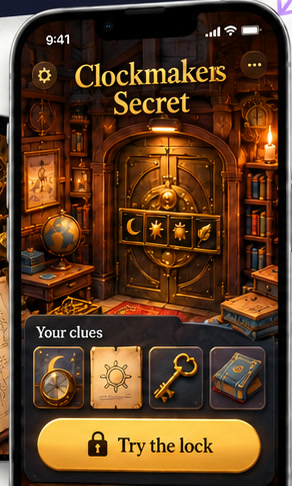
 Make a two-player mystery: Clockmaker’s Secret.
A tool that fits your routine. A new game for your friends. Start with something you wish existed.
A mystery full of hidden clues. A journal for your favorite hobby. A little tool made just for you. Open it, try it, and keep shaping it in your own words.
“Make a clockmaker escape game with clues hidden in the clocks.”
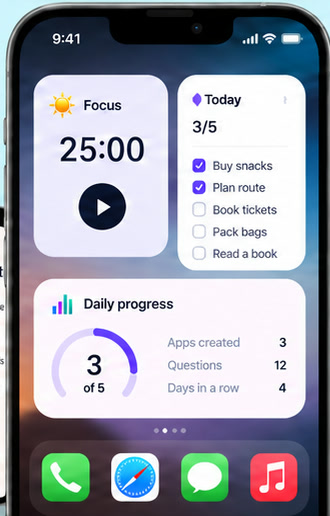
Create widgets with AI for your focus time, to-dos, or habits. Prepare them in GLint, then add them to your iPhone Home Screen.
“Make a focus timer and a checklist for my Home Screen.”
GLint provides online rooms and cloud data capabilities. Invite friends into a game you made, or give your app a place to save records for the next time you open it.
“Make a climbing journal that saves my attempts and weekly progress.”
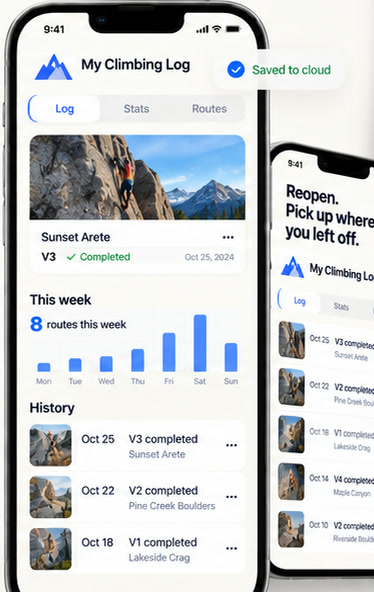
Creative concepts for inspiration. Features and results depend on your request and the work you build.
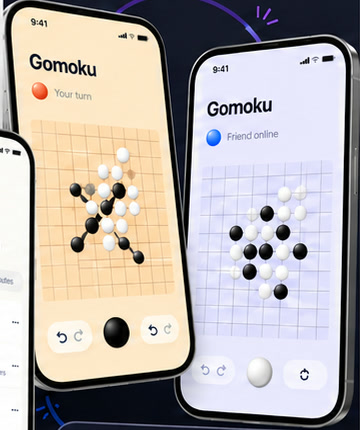 Friend online
Connect a game to GLint’s online rooms and invite a friend with a code. Play from your own phones, exchange information, and move forward according to the rules you create.
Add photos to a journal or audio to a practice log. Camera, microphone, and supported Bluetooth features can become part of your creation.
Publish a version you love and send a work share code. Friends can claim it in GLint and try what you made.
Add cloud data to save app records, or choose to upload a private source backup. App data and source backups serve different purposes.
Say what it should do, how it should look, or what the rules should be.
Open the result. Add a feature, change a detail, and keep the conversation going.
Save a version you like. When your work supports online play, invite friends to join.
No coding experience is required. Describe what you want in everyday language and create with GLint. Try and check what the AI makes, then keep refining it.
Personal tools, hobby journals, games, and iPhone Home Screen widgets can all start with an idea. What you can build depends on your request, its implementation, and currently supported capabilities.
Yes. Friends with a GLint account can claim a work you share. When a work supports online rooms, they can join through an invitation.
No. A work needs to use cloud data capabilities to store app records. Private source backups are uploaded when you choose. Sharing a work does not automatically share everyone’s personal records.
A free account includes a creation allowance that resets monthly. Optional monthly memberships offer higher allowances and resource limits. Current plans and prices appear in the app. Usage varies by request, rather than a fixed number of creations.
Prepare an instance in GLint, then add it through your iPhone Home Screen. Content and actions depend on the work; iOS manages refresh timing.
For your everyday, your interests, and your people.
Download on the App Store